How I successfully export media with selected (post) content
If your WordPress posts import fine but media doesn’t, Cloudflare might be blocking it without telling you.
I rebuild my WordPress site fairly often. I like starting clean, but I always want to keep my posts and media.
This time around, I tried to do things properly and use a plugin to export posts with their media instead of relying on manual workarounds.
The posts imported fine.
The media didn’t.
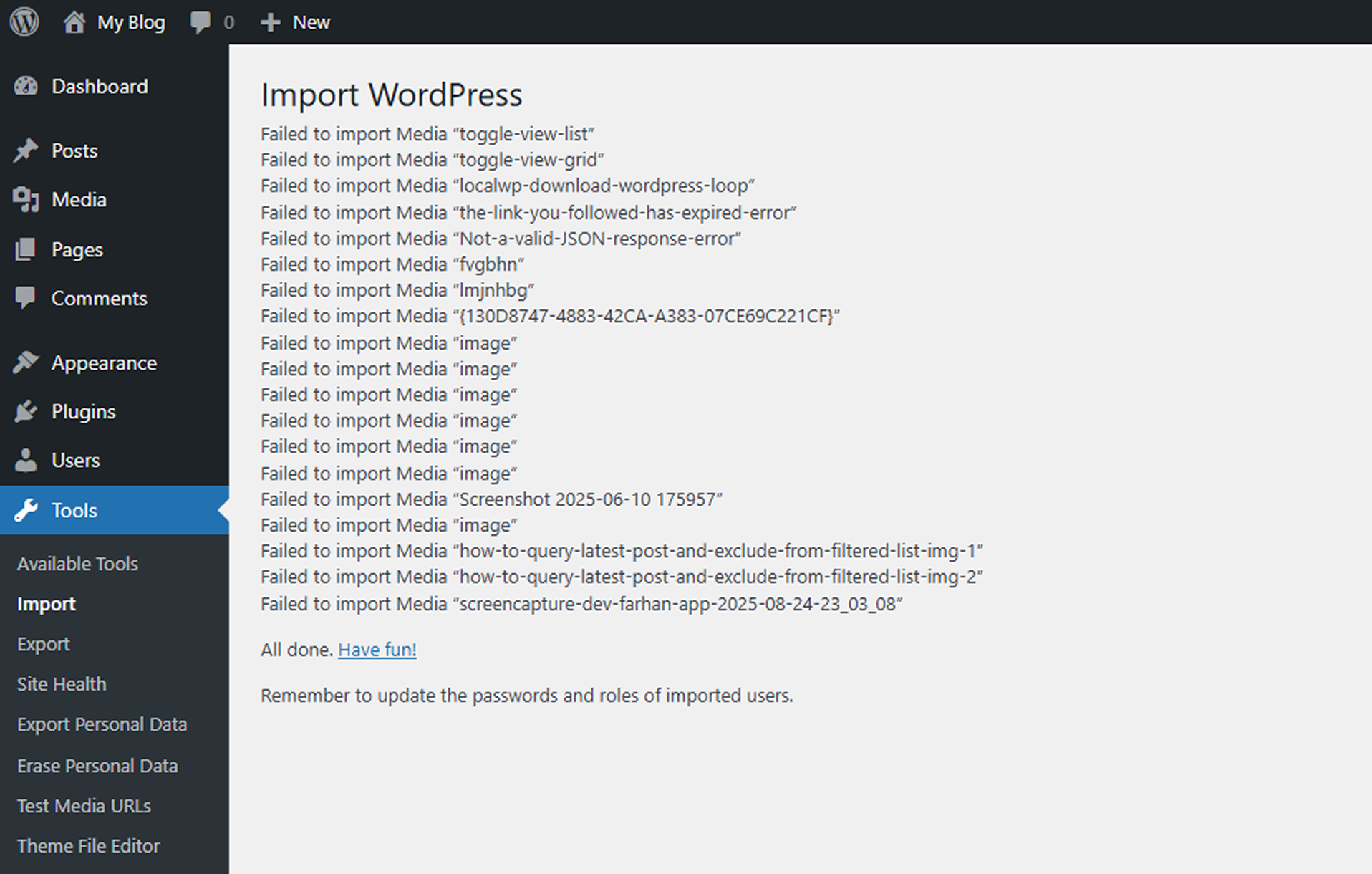
If you’ve run into the same issue – especially when Cloudflare is involved – this is what actually fixed it for me.
The setup
- Old site hosted behind Cloudflare
- New WordPress install on a different server
- Using the Export media with selected content (by DKZR) plugin
- Posts import successfully
- Media consistently fails to import
No obvious PHP or WordPress errors. Just missing attachments.
What wasn’t the problem
Before getting anywhere useful, I ruled out the usual suspects:
- PHP memory limits
- Upload and download limits
- Execution timeouts
- Plugin configuration
None of these made any difference. If you’re seeing posts come across but media fail silently, this is a good sign the issue is elsewhere.
Testing the real failure point
At this point, the important question was simple:
Can the new server actually download media files from the old site?
To answer that, I built a small test media URL plugin on the destination site that attempts to fetch a single media URL from the old site and reports the response code.
The result was consistent: 403 Forbidden.
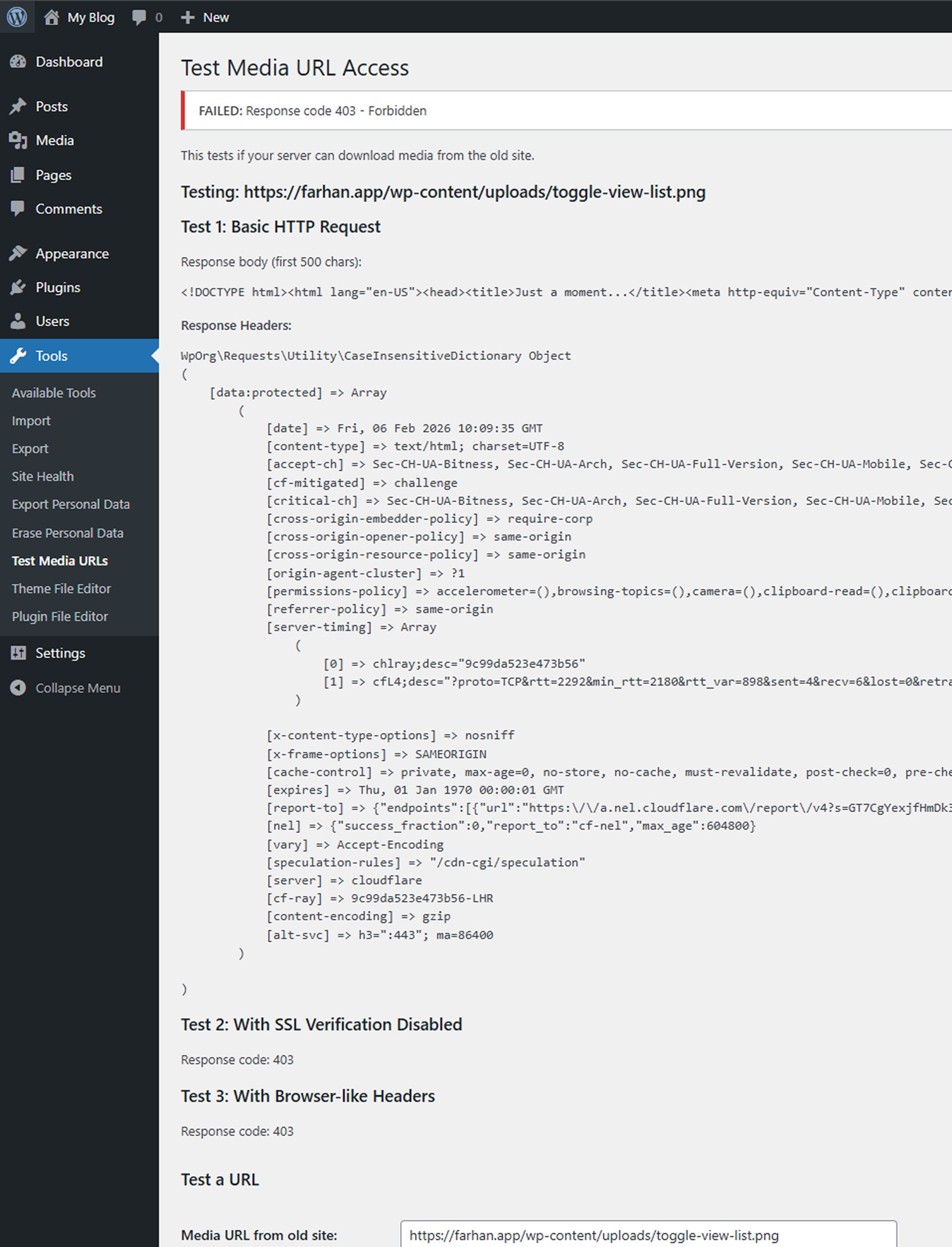
That ruled out WordPress entirely. The request wasn’t even getting through.
Cloudflare and automated requests
Looking at the response headers made it clear Cloudflare was blocking the request.
I tried:
- Enabling Development Mode
- Bypassing cache
Neither helped.
What did work was whitelisting the destination server’s IP address in Cloudflare on the old site.
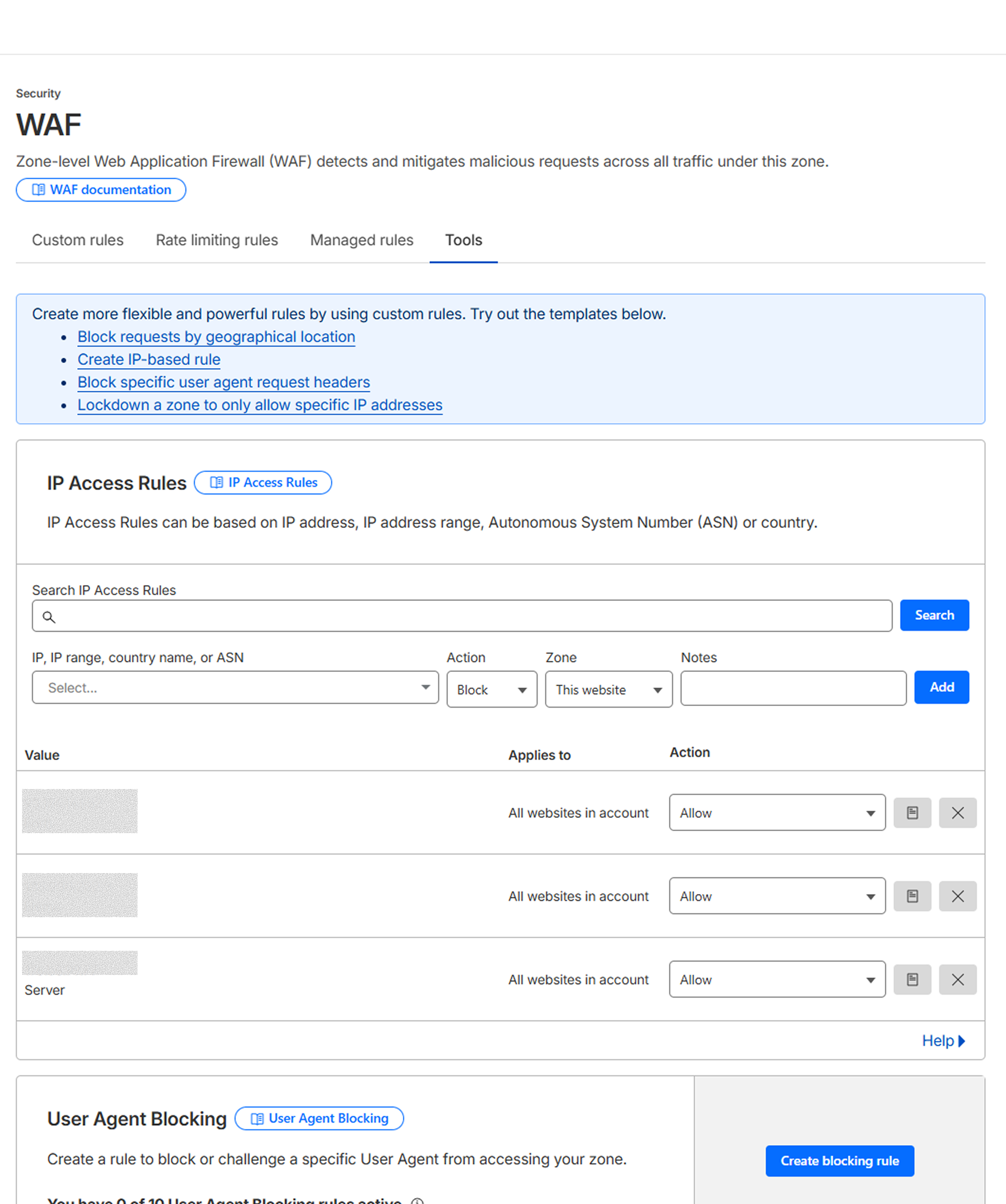
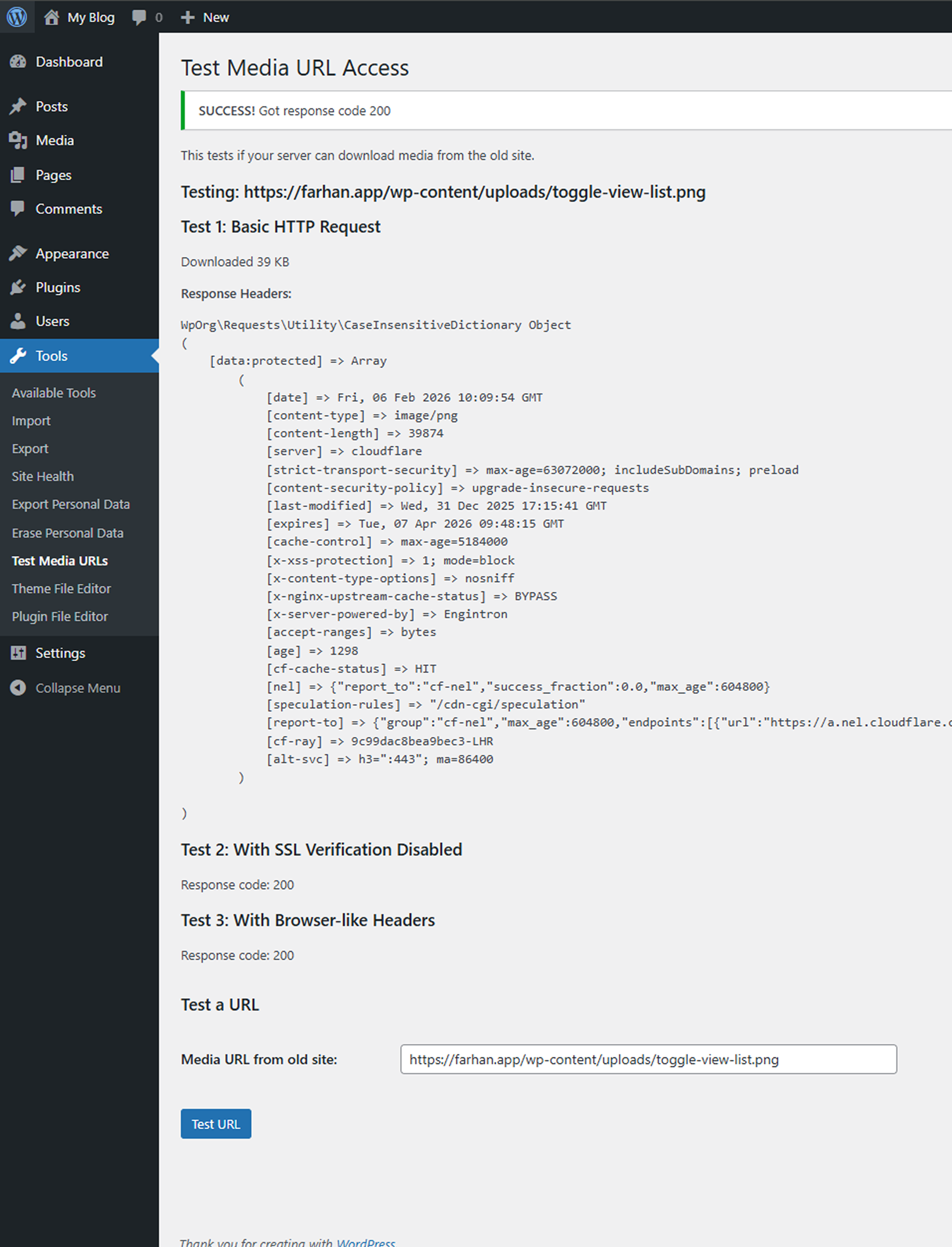
As soon as I did that:
- The test request returned
200 OK - Media files downloaded successfully
- The import completed as expected
Why this happens
Media import plugins don’t “copy” files directly. They make HTTP requests from the new site to the old one.
From Cloudflare’s perspective, this can look like:
- Automated traffic
- Scraping
- Or a potential abuse pattern
So the requests get blocked…quietly.
Once the server IP is trusted, the imports work normally.
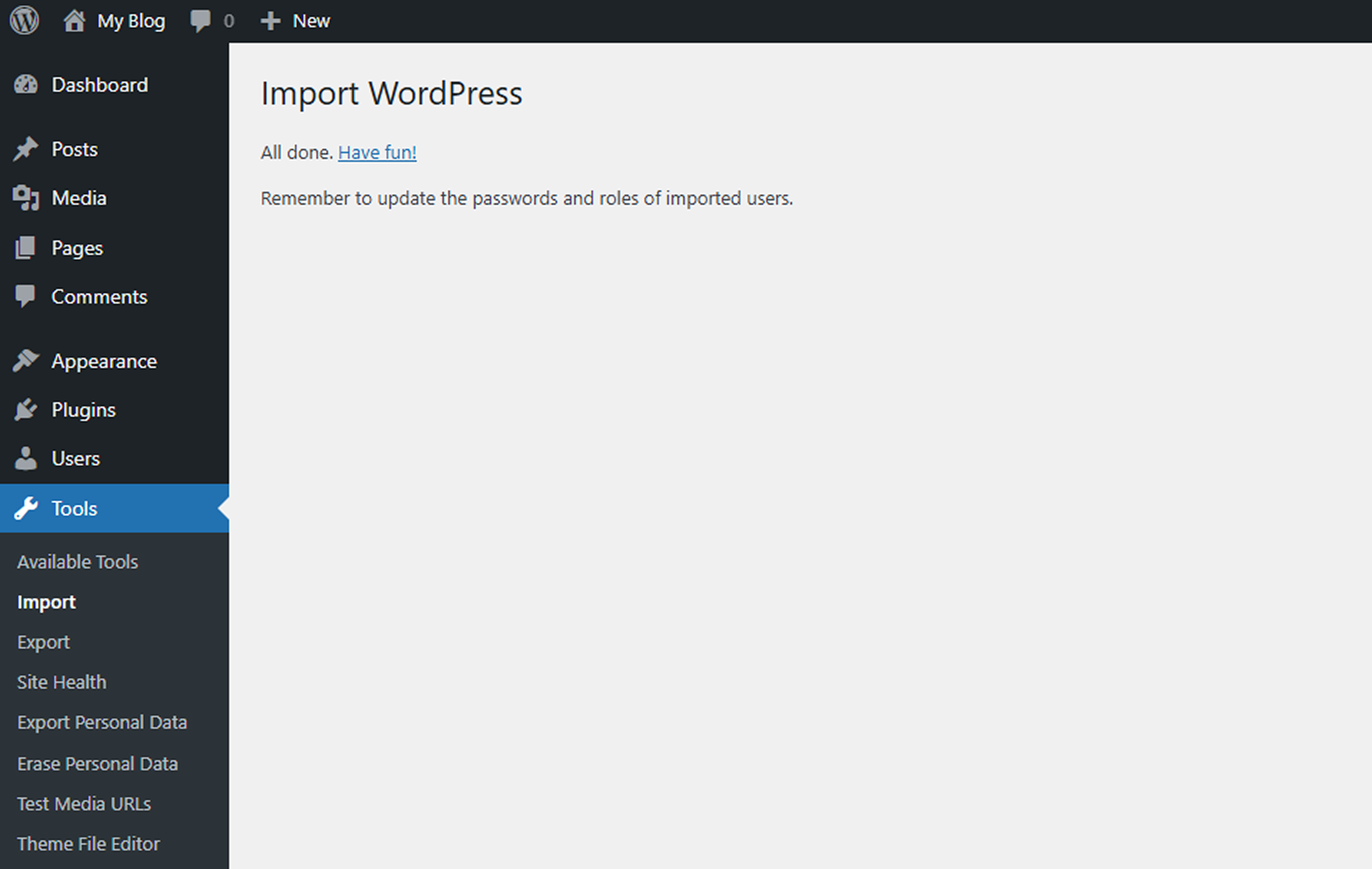
What to check if your media imports keep failing
If you’re stuck with missing media during a WordPress migration:
- Test media URLs directly from the destination server
- Check HTTP status codes (403 is a big clue)
- Review Cloudflare firewall and security settings
- Temporarily whitelist the destination server IP
- Retry the import
In my case, the plugin itself was doing exactly what it was supposed to do.